
HubSpot to HubSpot Portal Migration, With Unlimited Runs
Migrate IQ moves CRM records, engagements, files, and custom objects between two HubSpot portals. Every migration runs into a sandbox first. Sync it as many times as you need, and promote it to production when the data is right. One license covers all of it, with no per-run fee and no delta charge.
Two Ways to Run a Portal Migration
Migrate IQ – Self Serve
You run it. Connect both portals, sync into a sandbox, promote to production when the data is right. Priced by record volume, from $599.
Migrate IQ – Managed
We build it. A custom migration developed by our API engineers for portals and requirements that a self-serve tool cannot reach. Scoped and quoted per project.
Most portal migrations fit the first one. The rest of this page is about that product. If yours does not fit, the last section covers the second.
What Migrate IQ Moves
Most portal migrations do not fail on the contact record. They fail on everything attached to it. The deal that lost its company. The five years of email history that stayed behind. The custom object nobody thought to check until a rep went looking for it. Attachments.
Migrate IQ quickly and easily moves your CRM data and everything hanging off it.
CRM records and their associations
Contacts, companies, deals, tickets, products, line items, quotes and even custom objects. Associations move with them, so the relationships between records survive the trip. Pipelines and stages are recreated in the target portal.
Engagements, emails, and attachments
Calls, meetings, notes, and tasks. Email history moves with the records it belongs to. Attachments and files move too.
Custom objects and schema
Custom objects, their properties, their pipelines, and their associations. The object schema is created in the target portal before any records are written, so nothing lands orphaned. Custom objects are included at every price, not gated behind an upgrade.
What does not move with Migrate IQ – Self Serve
- Marketing and CMS assets stay behind. Landing pages, website pages, blog content, templates, HubDB tables, forms, and workflows are not part of the self-serve product. Migrate IQ – Self Serve moves your CRM data.
- Historical analytics also stay behind. Contact web traffic history, marketing email interaction history, form submission history, and lifecycle stage history are not migrated.
Migrate IQ – Managed
- Some customers need those, and that’s why there is a second option.
- Migrate IQ – Managed is a fully custom migration built by our API engineers. It is not a larger tier of the self-serve tool. It is a build, scoped to your portals and your requirements, by the same team that has been connecting HubSpot to operational systems since 2013.
- If your project needs something the self-serve product does not cover, tell us what has to move. We will tell you honestly what is possible and what it takes.
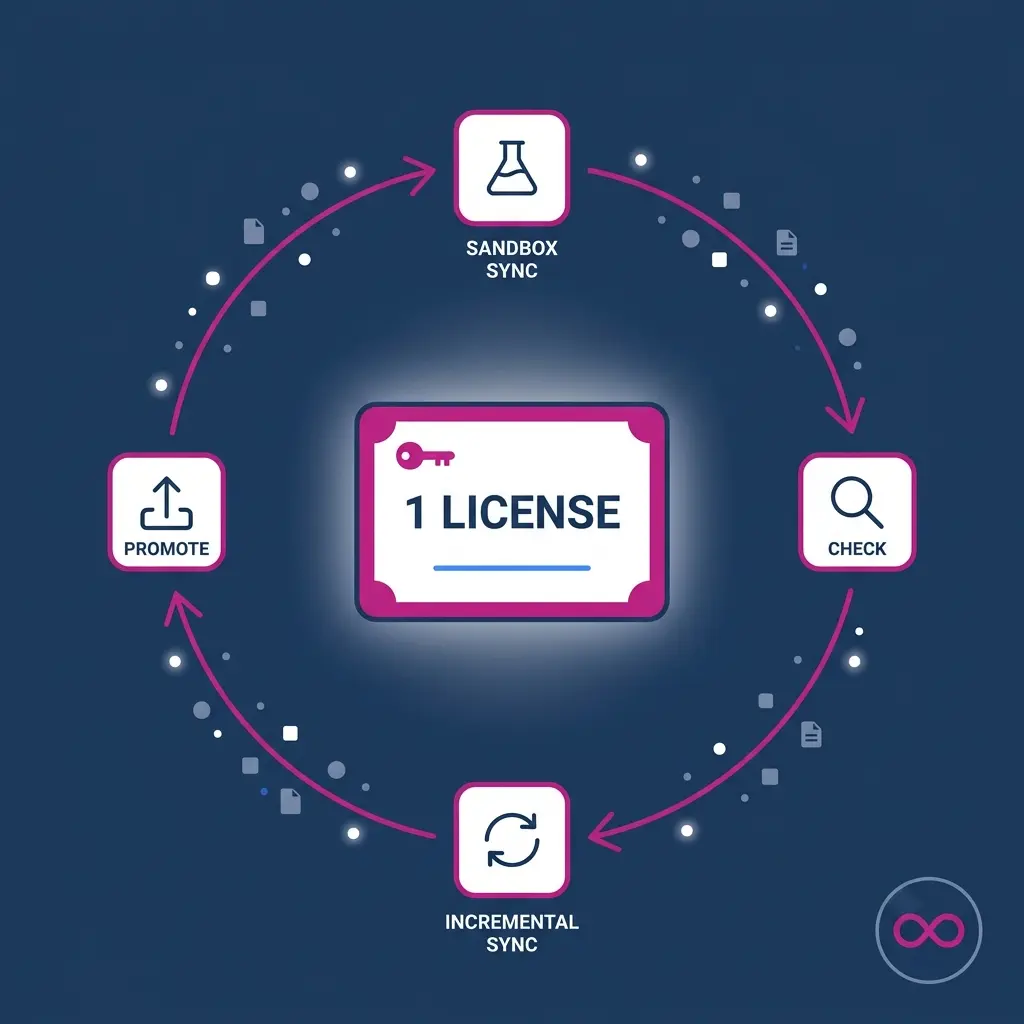
One License, Every Run Your Project Needs
Here is how the rest of the category works. You buy a migration. You run it. You find something wrong. You buy another migration, or you buy a delta add-on, and you run it again.
That pricing model punishes the exact behavior that makes migrations succeed.
A Migrate IQ license covers two portals and every run your project needs. Sandbox syncs, incremental syncs, filtered segments, and the production promotion. There is no per-run fee, no delta charge, and no license to repurchase.
The practical effect is that you stop rationing your own migration. Teams that can only afford one attempt plan around that constraint, and the planning is worse for it.
Every Migration Runs Into a Sandbox First
Nobody should find out their migration was wrong by looking at their production portal.
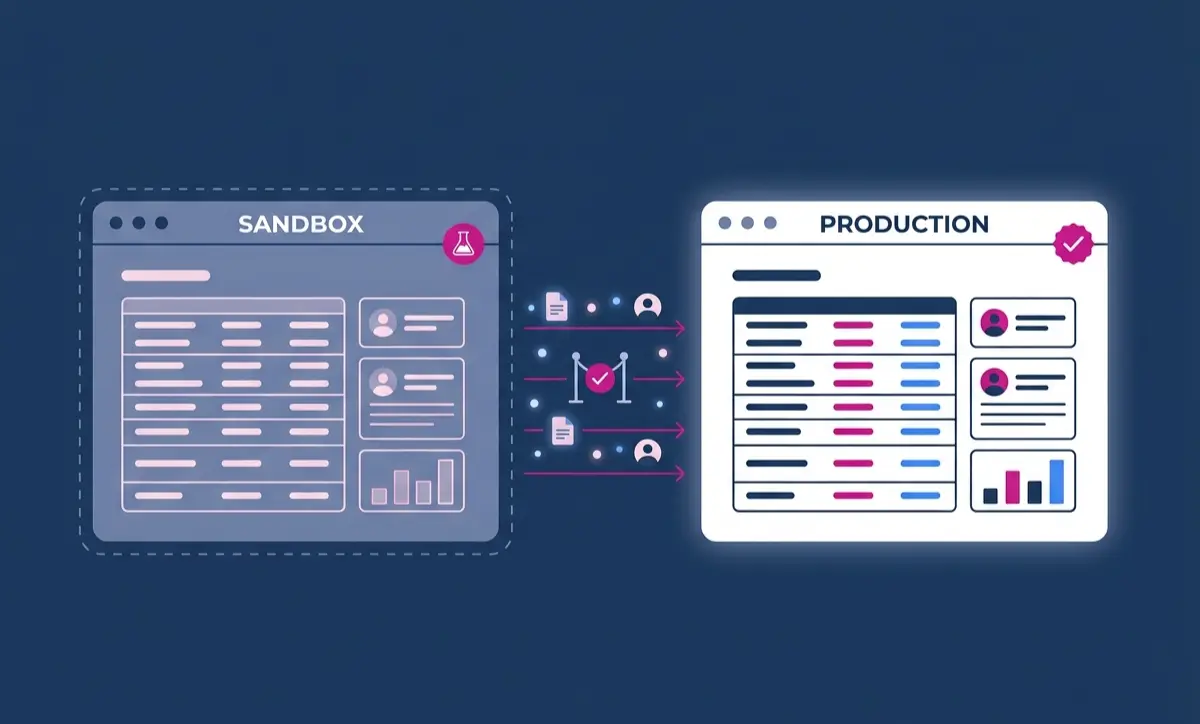
When the data is right, you promote the sandbox to production from inside Migrate IQ. Nothing reaches your live portal until you have already seen it work.
The sandbox is covered by the same license as the production migration. You do not buy a second license to test, and every sync into the sandbox is included. This is the part of the category that is usually sold separately.
No Mapping Required, With Full Control If You Want It
Field mapping is where portal migrations turn into a spreadsheet project. Someone exports the source schema, someone else works out what the target is missing, and a third person builds the properties by hand. It takes days, and a single mistyped property costs a rerun.
Migrate IQ does none of that to you.
Migrate IQ reads your source schema
Before anything moves, the app reads the source portal and identifies which properties are in use and their configuration, across standard objects and custom objects alike.
Properties are matched and created for you
Migrate IQ compares both portals, works out what the target is missing, and handles the mapping. There is no spreadsheet, no export, and no field you have to build by hand.
Confirm or adjust before anything is written
You get the final say. Review what Migrate IQ proposes, change anything you want handled differently, and confirm. Your target portal’s schema does not change until you approve it.
Why that matters
The portal you are migrating into usually belongs to someone who has worked hard to configure it properly and keep it clean. A tool that silently reshapes their schema is not doing them a favor. Automatic when you want it, adjustable when you need it.
Migrate in Segments Instead of All at Once
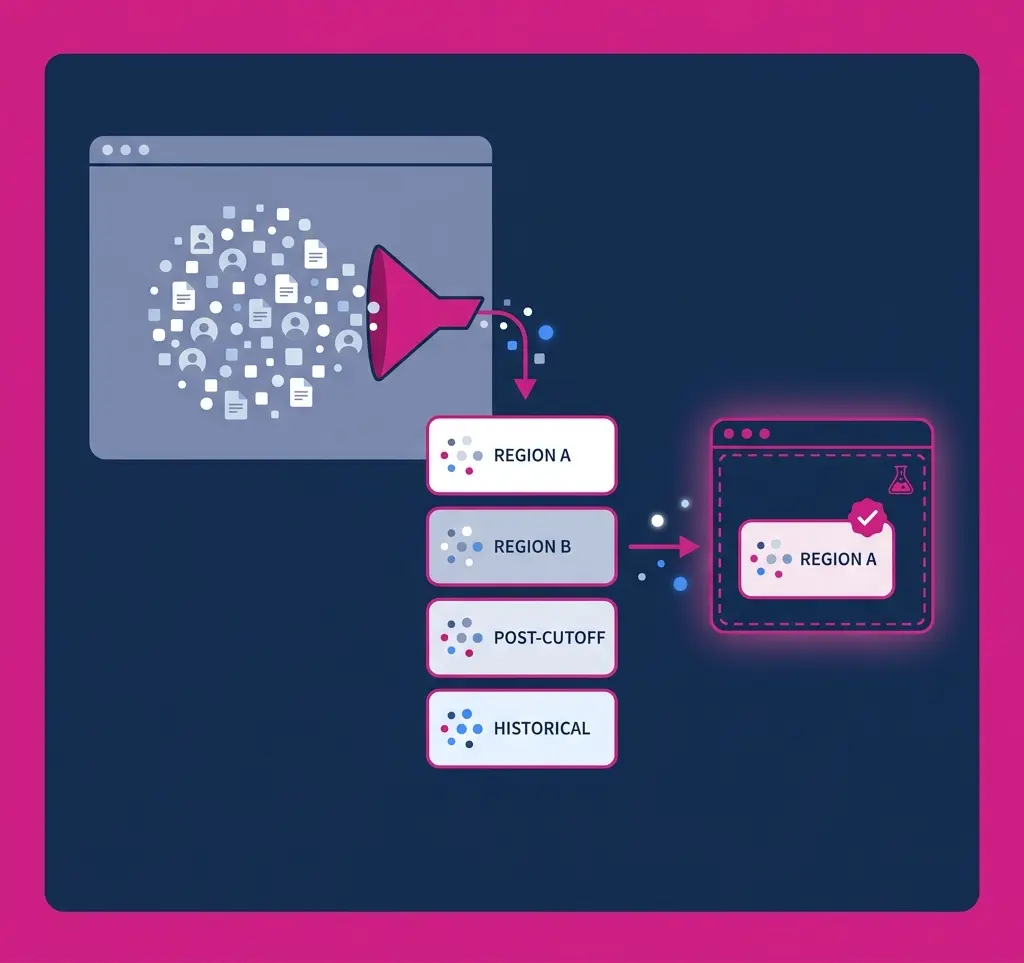
Large portals are easier to move in pieces. One region, then the next. One brand, then the other. Records created after a cutoff date, then the historical set.
Filter records at the source and sync a defined segment into your sandbox. Confirm it landed correctly. Then run the next one.
The sandbox is covered by the same license as the production migration. You do not buy a second license to test, and every sync into the sandbox is included. This is the part of the category that is usually sold separately.
Experienced migration teams have always worked this way. Most tools price it out of reach, because every segment is another paid run. On Migrate IQ, segmented migration is just how you use the product.
Why Teams Migrate a HubSpot Portal
Merging two portals after an acquisition
Two companies, two portals, one revenue team. The hard part is not moving records. It is keeping associations intact so the acquired company’s deal history still makes sense to the people inheriting it.
Splitting a brand into its own portal
A business unit grows enough to need its own portal. Filter to that brand’s records, move them, and leave the rest behind.
Consolidating regional portals
Separate portals per region made sense until reporting became impossible. Consolidation works best in stages, one region at a time, with a check after each.
Testing structural changes before production
Because every migration lands in a sandbox first, you can see the effect of a schema change on real data before it touches your live portal.
Starting fresh in a clean portal
Sometimes the answer to years of accumulated portal debt is a new portal. Filter out what you do not want to bring, and migrate only what still earns its place.
Migrations a self-serve tool cannot reach
Unusual object relationships, data that has to be transformed on the way through, systems outside HubSpot in the middle of the path. These are the projects Migrate IQ – Managed exists for.
How a Migration Runs
- Connect both portals. Authorize the source portal and the target portal through HubSpot OAuth. You need Super Admin access on both. The source portal is read only, and Migrate IQ never modifies or deletes anything in it.
- Provision your sandbox. You create the HubSpot sandbox that will receive the migration. This is where the work happens.
- Review the mapping. Migrate IQ shows you what it found in the source, what the target is missing, and how it plans to handle it. Confirm it or adjust it.
- Choose what moves. Select the objects to include. Apply filters at the source if you are moving a segment rather than the full portal.
- Sync into the sandbox. Run it and review the result. Record counts by object, and confirmation of which associations were preserved.
- Sync again until the data is right. Adjust filters, run an incremental sync, move the next segment. Every run is included in your license.
- Promote to production. When the sandbox is right, promote it to production from inside Migrate IQ. Your live portal only ever receives data you have already verified.
What Every License Includes
No feature tiers. The only thing that changes with price is how many records you are moving.
License and runs
| Feature | What it does |
| Free sample migration | Up to 100 companies and associated records before purchase |
| Unlimited migration runs | Sync as many times as the project needs on one license |
| Two portals per license | One source, one target, covered by a single purchase |
| Sandbox included | Every migration runs into a sandbox first, with no second license |
| Incremental syncs | Pick up only what changed since the last run |
| No delta charge | Follow-up runs cost nothing |
| One sample per Hub ID | Sample available once per portal |
Schema and property handling
| Feature | What it does |
| Source schema detection | Reads the source portal and identifies properties in use |
| Automatic property mapping | Matches source properties to the target without manual work |
| Automatic property creation | Builds the properties the target portal is missing |
| Confirm or adjust | Review and change the proposed mapping before anything is written |
| No manual field building | No exports, no spreadsheets, no properties to create by hand |
| Pipeline and stage recreation | Deal, ticket, and custom object pipelines rebuilt in the target |
| Custom object schema creation | Object definitions built in the target before records are written |
| Property type preservation | Field types carry across as defined |
| Dropdown option preservation | Enumeration values move with the property |
Safety and control
|
Feature |
What it does |
|
Sandbox-first migration |
Nothing reaches production until you promote it |
|
Promote from the app |
Move the verified sandbox to production inside Migrate IQ |
|
Source portal read only |
Nothing in the source is modified, overwritten, or deleted |
|
Schema changes need approval |
Your target schema does not change until you confirm it |
|
Portal to portal transfer |
Data moves directly between your portals, not through Integrate IQ |
|
HubSpot OAuth authorization |
No API keys to manage or store |
|
Super Admin requirement |
Both connections require Super Admin, preventing partial-permission failures |
|
Uninstall at any time |
Revoke access from either portal |
Record coverage
|
Feature |
What it does |
|
All native HubSpot objects |
Contacts, companies, deals, tickets, and the rest of the standard set |
|
Custom objects |
Schema, properties, pipelines, and records |
|
Associations |
Record relationships preserved across the move |
|
Custom association labels |
Labeled relationships carry across |
|
Products, line items, quotes |
Commerce objects with their deal relationships |
|
Engagements |
Calls, meetings, notes, and tasks |
|
Email history |
Logged email moves with the records it belongs to |
|
Files and attachments |
|
|
Lists |
Static and active lists recreated |
|
Owners and users |
Record ownership matched between portals |
Scope control
|
Feature |
What it does |
|
Source-side record filtering |
Define exactly which records move before the run starts |
|
Segmented runs |
Move one region, brand, or date range at a time |
|
Object-level selection |
Choose which object types are included in a given run |
|
Excluded records never read |
Filtered-out data is not touched |
Delivery
|
Feature |
What it does |
|
Managed migration option |
Integrate IQ runs the migration for you as a service |
|
Built by a HubSpot Diamond Partner |
Integration practice operating since 2013 |
Why We Built Migrate IQ
Integrate IQ is a HubSpot Diamond Partner best known for complex custom system integrations. We build and maintain integrations between HubSpot and more than 300 different operational systems our clients run their businesses on, and we have been doing it since 2013.
Migrate IQ came out of frustration we felt during a client portal consolidation. The tools available could not do what the project required. The one that came closest wanted to charge us every time we moved another portion of the data, which meant our own migration plan was being shaped by a vendor’s pricing model rather than by what was good for the client.
So, we built the tool we wanted to buy. Unlimited runs, because iteration is how migrations succeed. Sandbox-first on the same license, because production is no place to find out you were wrong. Mapping handled for you, with the final call left to the person who owns the portal.
We still use it on client work. That is the version of a product recommendation we trust most.
How Migrate IQ Compares
The differences in this category show up in what a license covers, whether you can prove the migration before it touches production, and whether you pay again to run it twice.
| Migrate IQ | Datawarehouse.io | SyncMatters | Import2 | |
| Migration runs per license | Unlimited for the project | One | One | One |
| Cost to run again | Included | $199 per delta migration | New tier purchase | Included |
| Sandbox on the same license | Yes | Separate app | Not published | Not published |
| Promote sandbox to production | Yes | Not published | Not published | Not published |
| Incremental syncs | Included | $199 add-on | Not published | Included |
| No field mapping required | Yes | Yes | Yes | Yes |
| Confirm or adjust the mapping | Yes | Not published | Not published | Yes |
| Custom objects | All tiers | $999 tier and above | Yes | Custom scope |
| Source filtering and segmented runs | All tiers | $799 tier and above | Add-on | Yes |
| CRM records and associations | Yes | Yes | Yes | Yes |
| Emails and attachments | Yes | Yes | Yes | Yes |
| Free sample migration | Yes | No | Yes | Yes |
| Historical analytics | No | $1,499 tier | Not published | Not published |
| Built by a HubSpot Diamond Partner | Yes | No | Elite Partner | No |
Based on each vendor’s published documentation and pricing as of September 2026. Vendors change their products, so verify current details on their sites before deciding.
Pricing
One license. Two portals. Sandbox and production. Every run your project needs.
| Plan | Records | Price |
| Sample Migration | Up to 100 companies and associated records | Free |
| Standard | Up to 40,000 records | $599 |
| Growth | Up to 125,000 records | $1,195 |
| Scale | Up to 510,000 records | $2,395 |
| Enterprise | Up to 1.2 million records | $4,795 |
| Enterprise | Up to 2.5 million records | $6,495 |
| Custom | Over 2.5 million records | Let’s talk |
Every license includes
- Unlimited syncs across your two portals
- Sandbox migration, no second license
- Promote sandbox to production from the app
- Incremental syncs with no delta charge
- CRM records, associations, and engagements
- Emails and attachments
- Custom objects and their associations
- Automatic property mapping and creation
- Confirm or adjust before anything is written
- Source filtering and segmented runs
Start With a Free Sample Migration
Connect both portals and move up to 100 companies with their associated records. No cost, no card, one sample per portal.
You will see how your data lands, how Migrate IQ handled your properties, and whether associations held. That is a better basis for a decision than anything we can tell you on this page.
If you would rather talk it through first, a short conversation usually surfaces the constraints that matter. Large file libraries, custom object dependencies, and analytics requirements are the three that most often change the plan.
Frequently Asked Questions
How do you migrate data from one HubSpot portal to another?
Connect both portals through HubSpot OAuth as a Super Admin. Migrate IQ reads the source schema and handles the property mapping, which you can confirm or adjust. You then sync into a HubSpot sandbox, review the result, and sync again until the data is right. When it is, you promote the sandbox to production from inside the app.
Can I test a HubSpot portal migration before running it for real?
Every Migrate IQ migration runs into a sandbox first. You sync as many times as you need, checking records, associations, and schema each time, and only promote to production once the data is right. The sandbox is covered by the same license as the production migration.
Can a HubSpot portal migration be undone?
With Migrate IQ the question does not usually come up, because production is written only when you promote a sandbox you have already verified. A rollback assumes bad data has reached your live portal and now needs cleaning up. Sandbox-first keeps it from getting there.
Can you merge two HubSpot portals?
Yes. Portal merges are one of the most common reasons teams use Migrate IQ, usually after an acquisition or a regional consolidation. Because a license covers unlimited runs, you can merge in stages and check the results between each one rather than attempting it all at once.
Do I have to map fields manually to migrate a HubSpot portal?
No. Migrate IQ reads the source schema, works out what the target portal is missing, and handles the mapping. There is no export, no spreadsheet, and no property you have to create by hand. You can review what it proposes and adjust anything you want handled differently before it is written.
What happens to custom properties during a HubSpot portal migration?
Custom properties in use on the source portal are detected, mapped, and created in the target. This applies to custom properties on standard objects and on custom objects. You do not need to build them in advance, and you can adjust the mapping before anything is written.
What happens to associations between records?
Associations move with the records. A deal arrives still connected to its company and its contacts. Association integrity is the most common failure point in portal migrations, which is why every migration lands in a sandbox where you can confirm it before production.
Does Migrate IQ migrate landing pages, blog content, or workflows?
No. Migrate IQ moves CRM data: records, associations, engagements, files, and custom objects. Marketing and CMS assets are not included. If moving CMS content is central to your project, tell us early and let’s discuss Migrate IQ – Managed.
Will my source portal change?
No. Migrate IQ reads from the source portal only. It does not modify, overwrite, or delete anything there. Everything is created in the target.
How long does a HubSpot portal migration take?
This depends entirely on the number of records and size of files being moved. For a simple migration, Migrate IQ can be configured in minutes and data can begin flowing right away. Large, complex migrations may take days or even a week to configure, test, filter, and migrate. Whichever is the case, you have the freedom to work the way you want with Migrate IQ.
Does HubSpot have a native portal migration tool?
HubSpot’s Smart Transfer moves data into HubSpot from another CRM such as Salesforce or Pipedrive. It is a one-way migration into the platform and is not built for moving data between two HubSpot portals. For portal to portal work, you need a dedicated tool.